The Mileage Tracking App to Automate Your Logs
Drivance automatically tracks your drives in the background and turns them into clean, IRS-ready mileage logs. Built for self-employed professionals and gig drivers in the U.S.
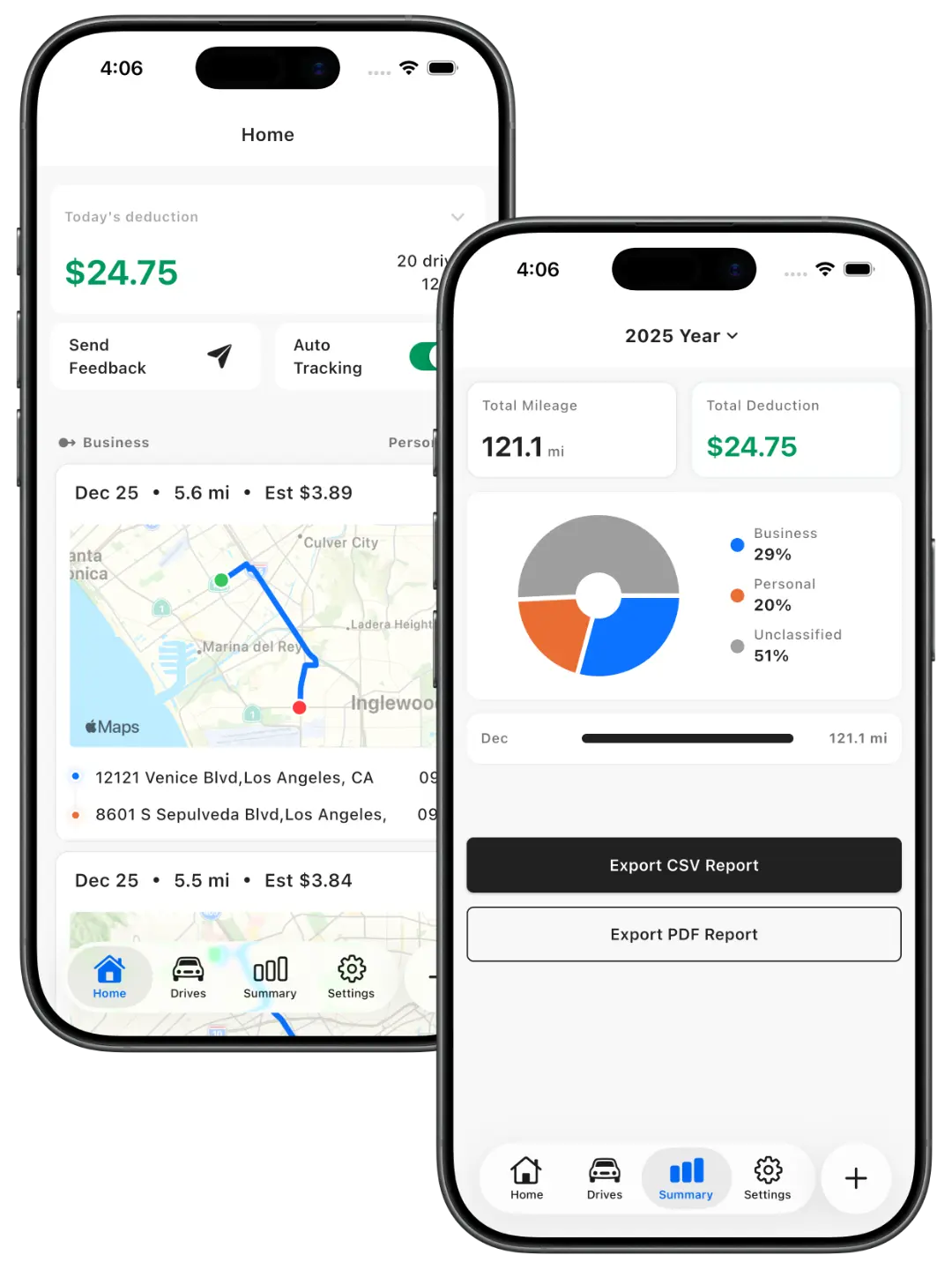
Drivance automatically tracks your drives in the background and turns them into clean, IRS-ready mileage logs. Built for self-employed professionals and gig drivers in the U.S.
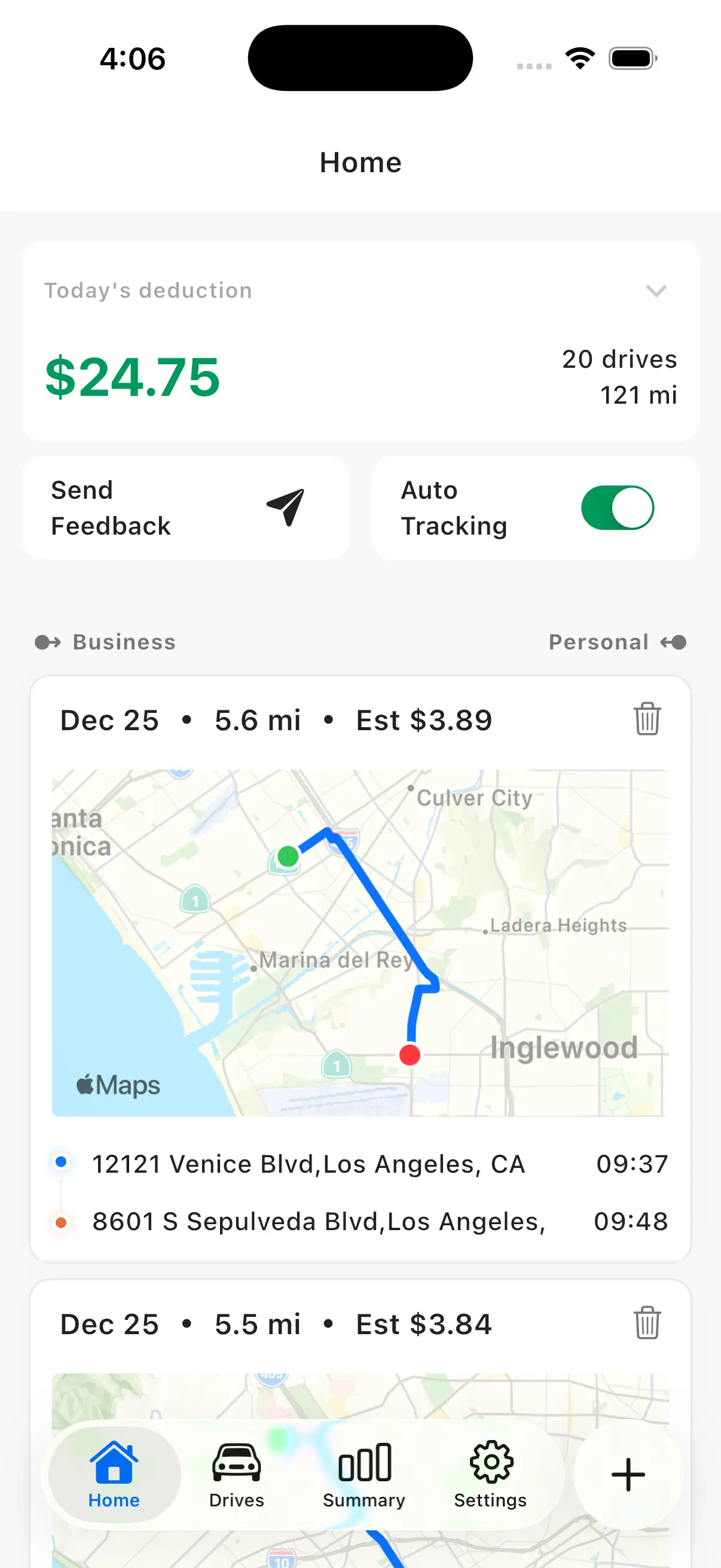
Drivance records drives in the background while you drive—no manual start required. It tracks your routes automatically.
Mark each drive as Business or Personal to keep deductible mileage clear and organized. Automatic classification is coming soon.
Each drive is calculated using the applicable IRS mileage rate for its tax year, ensuring consistency across years.
Review the actual path of each drive for review and auditing—not just totals or start/end points.
Unclassified business drives can show estimated deductible values to help you prioritize classification.
Export your mileage log to Excel for your CPA, accountant, or tax software. Custom Excel export coming soon.
Three simple steps—from automatic tracking to tax-ready exports.
Enable automatic tracking once. Drivance runs quietly in the background and records drives automatically.
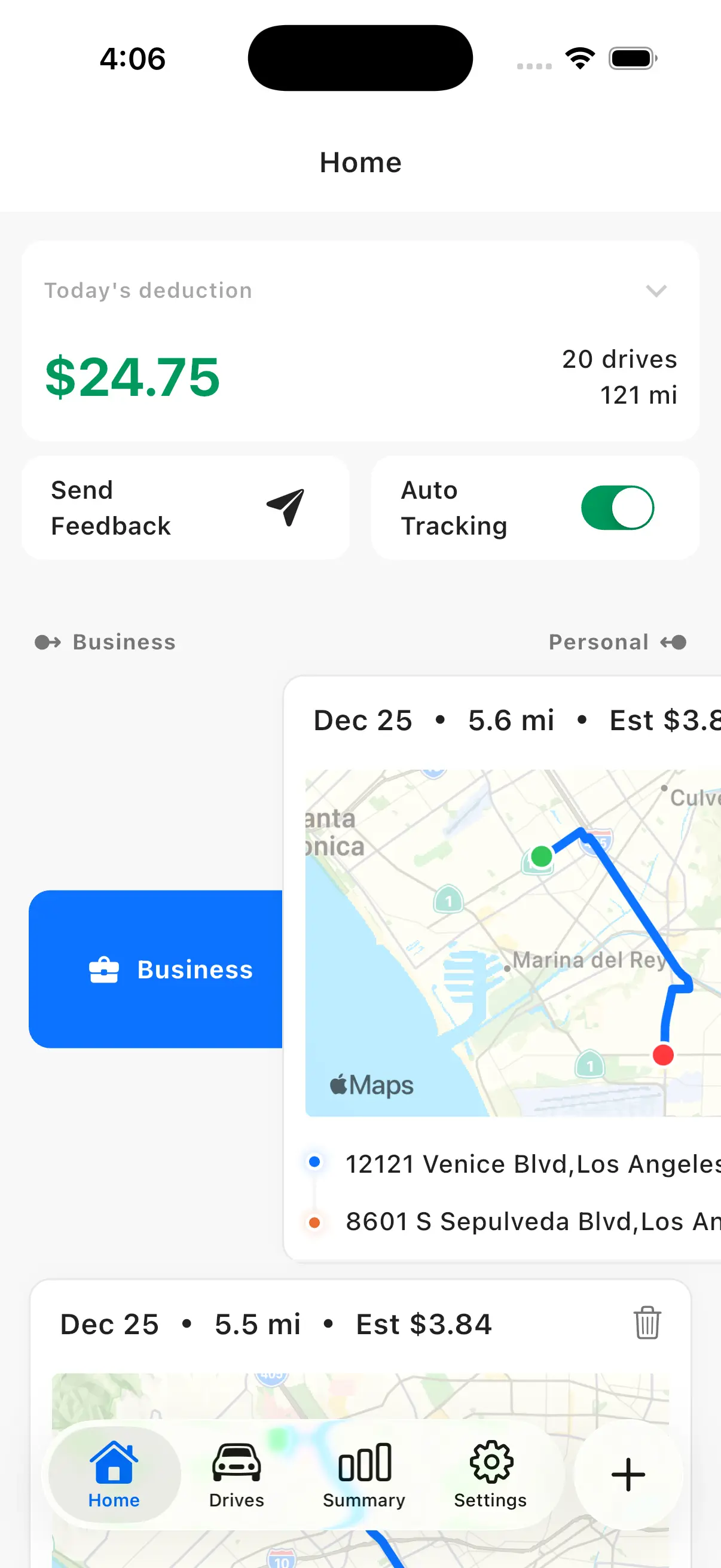
Review unclassified drives and swipe to mark them as Business or Personal. See distance, route, and estimates at a glance.
View your mileage stats and export a clean Excel mileage log for your CPA or tax software anytime.
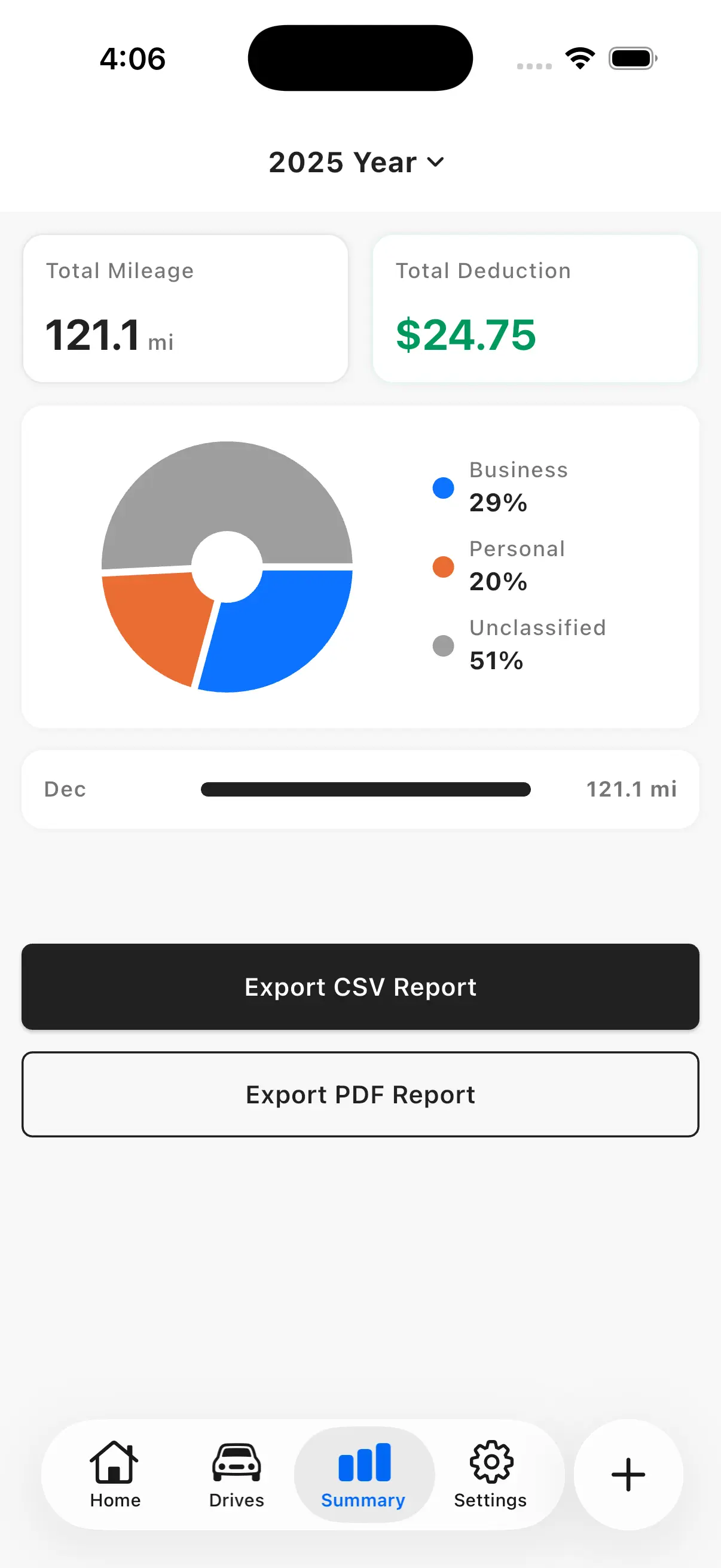
Designed around IRS mileage logs: clear classification, tax-year rate snapshots, and export-ready summaries.
A black-and-white, distraction-free interface designed for serious record keeping.
Simple, transparent pricing. Same features on every plan—Free includes a monthly limit, paid plans are unlimited.
$0
All core features. Up to 40 drives per month.
$8.99
All core features. Unlimited drives (billed monthly).
$69.99
All core features. Unlimited drives (billed yearly).
Free includes up to 40 drives/month. Monthly and Annual are unlimited.
Quick answers about Drivance and mileage deductions.
Real feedback from users who tested Drivance during our beta program.
I used to miss trips all the time. Drivance catches drives in the background, and I just review and swipe at night. It feels surprisingly low-effort.
Maya Thompson
Freelance Consultant
My biggest worry was battery drain. After a week of testing, it’s been totally fine for my day-to-day. Tracking is consistent, and the route detail helps when I need to double-check.
Chris Nguyen
Rideshare Driver
My CPA basically asked for one thing: an export they can use. The Excel log is clean, and the IRS rate snapshots make it easy to stay consistent across the year.
Elena Garcia
Small Business Owner
Reviews from beta testers who participated in our closed testing program.